

What Is an HDMI TFT Display? A Buyer's Guide for Industrial Applications
09.09.2026
If you're specifying a screen for an industrial device, you've probably run into the term "HDMI TFT display." It sounds simple. Plug in an HDMI cable, get a picture. But for engineers building products that need to run for years in the field, the real question is different: what's actually inside that display, and does it fit your product's power, size, and reliability requirements?
This guide breaks down what an HDMI TFT display really is, when HDMI is the right interface choice, and what to consider before you commit to a design — whether you're building a fuel dispenser, an EV charging station, an industrial control panel, or a piece of test equipment.
What Is an HDMI TFT Display, Really?
HDMI TFT display: a TFT LCD panel paired with a driver board that converts an HDMI video signal into the format the panel actually needs to display an image.
This distinction matters more than it sounds. HDMI is a system-level interface. It carries digital video and audio between devices like computers, media players, and cameras. A TFT LCD panel, on the other hand, doesn't natively "speak" HDMI — the glass itself is driven by an RGB, LVDS, or MIPI interface.
So an "HDMI TFT display" is really two components working together:
· The TFT panel — the actual screen, available in COB, COG, or full TFT technology, in whatever size and resolution your product needs.
· The HDMI receiver / driver board — a small board that receives the HDMI signal, decodes it, and repackages the data into RGB or LVDS format the panel can use.
Understanding this two-part structure is the first step to making a good sourcing decision. It's also why customization is possible at all — because the panel and the driver board can each be configured independently to match your product's requirements.
For an internal deep-dive into panel technology, our TFT Display product line covers the base modules this kind of interface is typically built on.
HDMI vs. RGB / LVDS / MIPI — Which Display Interface Should You Choose?
Before locking in HDMI, it's worth comparing it against the interfaces your panel could use directly. Each one trades off differently on cost, power, complexity, and cable length.
Interface | Typical Use Case | Power Draw | Design Complexity | Cable Length |
HDMI | Plug-and-play systems, PCs, media players, retrofit upgrades | Higher | Low (no embedded GUI programming needed) | Long (several meters) |
RGB | Low-cost embedded systems, MCU-driven panels | Low | Moderate (timing configuration required) | Short |
LVDS | Mid-to-large panels, industrial HMI, kiosks | Low–Moderate | Moderate | Medium |
MIPI | Compact, battery-powered, high-resolution devices | Lowest | Higher (requires SoC-level integration) | Very short |
When HDMI Makes Sense
· Your product already has a PC, embedded Linux board, or single-board computer generating video output.
· You want a plug-and-play display without writing embedded graphics code.
· You're retrofitting a display onto an existing system, such as upgrading a legacy monitor.
· Your device runs on mains power, so the extra power draw from the HDMI receiver isn't a concern.
When to Consider RGB, LVDS, or MIPI Instead
· Your device is battery-powered and power budget is tight.
· The product is small or space-constrained, where an added driver board adds unwanted thickness or cost.
· Your GPU or MCU already outputs RGB or LVDS natively, making HDMI conversion an unnecessary extra step.
Q: Does an HDMI TFT display need extra drivers?
A: No. That's the point of the HDMI receiver board — it handles the signal conversion, so the host device just sees a standard HDMI monitor with no custom drivers required.
Key Considerations When Specifying an Industrial HDMI TFT Display
Consumer-grade HDMI monitors aren't built for industrial duty cycles. Before finalizing a spec, industrial buyers should confirm the following:
· Operating temperature range: outdoor equipment like fuel dispensers and EV chargers needs a wide-temperature panel and driver board, not a standard indoor-rated module.
· Brightness and sunlight readability: high-brightness panels are essential for any device used outdoors or under bright ambient light.
· Touch technology: capacitive touch supports gloved operation and is more durable for high-traffic industrial panels; resistive touch remains a lower-cost option for simpler interactions.
· EMI/EMC performance: HDMI signal integrity can degrade over longer cable runs in electrically noisy industrial environments, so proper shielding and board design matter.
· Long-term supply stability: HDMI receiver ICs can reach end-of-life faster than panel components. Working with a supplier who controls both the panel and the driver board design reduces the risk of a forced redesign mid-production.
These are exactly the kind of factors that separate a hobbyist HDMI screen from one that's ready for years of field deployment.
Customization Options for HDMI TFT Displays
Because an HDMI TFT display is built from two configurable parts — the panel and the driver board — there's substantial room to tailor the solution to your product, rather than adapting your product to an off-the-shelf screen. Common customization options include:
· Panel size and resolution, matched to your enclosure and readability requirements
· Brightness level, from standard indoor use up to high-brightness outdoor-readable panels
· Touch integration, capacitive or resistive, including cover lens material and thickness
· Driver board features, such as brightness control, connector placement, and mounting orientation
· Mechanical form factor, including custom shapes, bezels, and FPC cable direction to fit tight enclosures
If your project needs any combination of the above, our Custom Solution page outlines how the customization process works from initial spec through to production samples.
From Concept to Mass Production: Our HDMI TFT Display Process
Turning a spec sheet into a reliable, mass-produced display module follows four stages:
1. Requirement confirmation — we review your target application, environment, and interface requirements to define panel size, brightness, touch type, and driver board configuration.
2. Sample validation — engineering samples are built and tested against your enclosure and system integration requirements before any tooling commitment.
3. Small-batch trial production — a limited production run validates yield, signal stability, and mechanical fit at scale.
4. Mass production and quality control — full production runs under consistent quality inspection, with ongoing supply support for the life of your product.
Case Study: 8.8-Inch HDMI TFT Display for Industrial Control Equipment
A customer building industrial control and multimedia equipment came to us with a tight constraint: their host system already output HDMI video, and the installation space called for an ultra-wide display. Rather than redesigning their video pipeline, they wanted a display module that could take the HDMI signal directly.
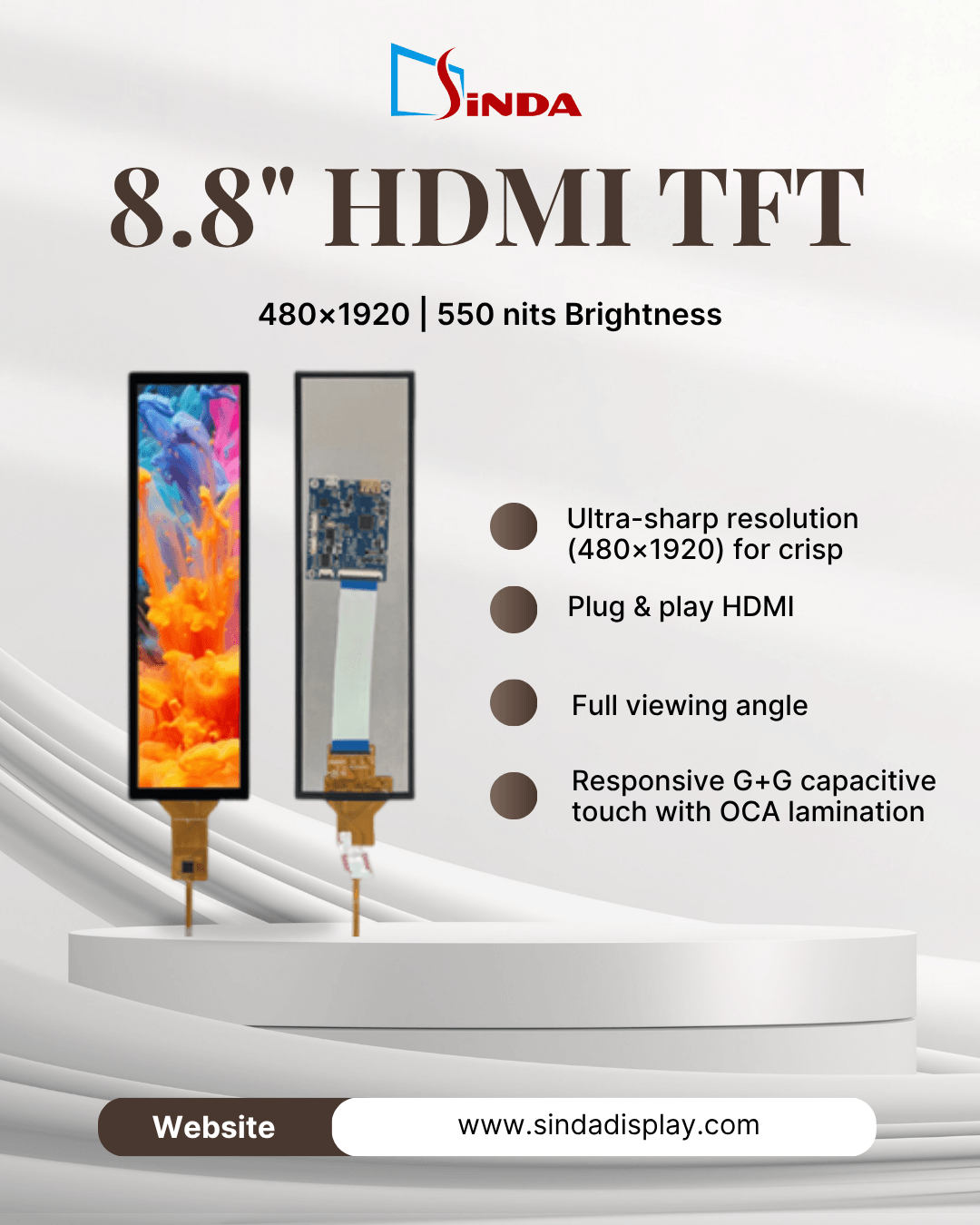
Here's what we specified:
Spec | Detail |
Display Size | 8.8" |
Resolution | 480 × 1920 |
Active Area | 54.72 × 218.88 mm |
Brightness | 550 nits |
Interface | HDMI |
Touch | G+G Capacitive Touch |
Bonding | OCA Optical Bonding |
Cover Glass | Asahi Glass |
Operating Temperature | -20°C ~ +70°C |
Power Supply | 5V |
The real engineering work wasn't the panel — it was the HDMI driver board. We developed a matching driver board so the signal path runs cleanly from HDMI Video Input → Driver Board → TFT Display. The board integrates:
· HDMI signal input
· USB 5V power input
· MIPI signal output
· Audio output
· Backlight adjustment
With this setup, the customer connects their existing HDMI output straight into the display module — no need to design a separate LCD interface from scratch. It's a good example of what "HDMI TFT display" means in practice: the panel and the driver board engineered together as one integrated solution, not a generic screen with a converter bolted on.
Common Applications of HDMI TFT Displays in Industrial Settings
HDMI TFT displays show up across a wide range of non-consumer equipment, particularly where a system already outputs standard video and a plug-and-play screen speeds up integration:
· Industrial control panels and HMIs — pairing with PLC-driven systems that already output HDMI video for operator interfaces. See our Touch Panel solutions for integrated touch options.
· Test and inspection equipment — connecting directly to embedded PCs or single-board computers running diagnostic software.
· Digital signage and kiosks — where a standard HDMI source simplifies content updates and system swaps.
· Medical equipment — monitoring stations and diagnostic devices that need a reliable, plug-and-play visual output.
· EV charging stations — displaying charging status and payment interfaces, often alongside our EV display solutions.
FAQ — Common Questions About HDMI TFT Displays
Q: Can HDMI TFT displays be made in custom sizes?
A: Yes. Since the panel and driver board are separate components, the size and resolution of the panel can be customized independently of the HDMI interface itself.
Q: Is HDMI a good choice for battery-powered devices?
A: This is generally not the best fit. HDMI receiver boards consume more power than direct RGB, LVDS or MIPI connections. Therefore, battery-powered or ultra-compact devices are usually better suited to a direct panel interface.
Choosing the right display interface shouldn't be a guessing game. If you're evaluating HDMI against other panel interfaces for your next product, our team can help you weigh the trade-offs against your specific application. Contact us to talk through your requirements.